

This menu item is for managing certificate authorities. The upper section of the panel displays the list of available CAs, both internal and external. Apart from creating the default internal CAs, a number of trustworthy and external certificates (for example, VeriSign, NetLock) are imported as well.
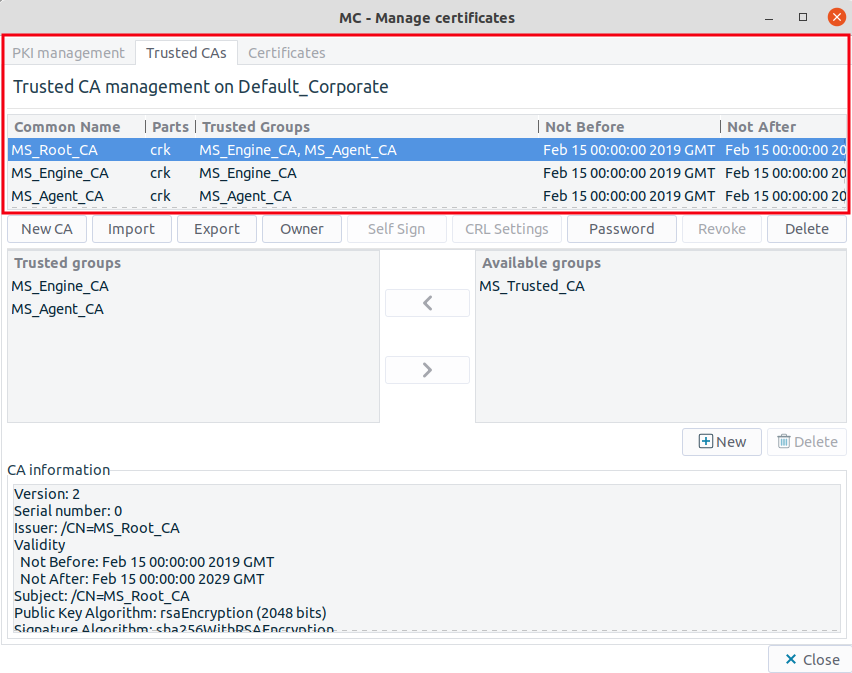
The following information is displayed on each CA:
: It displays the common name of the CA.
: It denotes the components of the certificate entity available for the CA.
c: It stands for certificate. Usually this is the only part available for external CAs.
k: It denotes the private key of the certificate.
r: It refers to the certificate signing request (CSR).
l: It is the CRL of the CA.
An internal CA is fully functional if all of its parts are available (CRL is optional).
: It denotes the name(s) of the trusted groups that the CA is member of.
: It defines the validity of the CAs' certificate.
: It defines the date until the CRL of the given CA is valid. If this field is empty, no CRL has been released by the CA so far.
Copyright: © 2021 Balasys IT Security
Send your comments to support@balasys.hu
