

7.2.1. Procedure – Configure syslog-ng
To configure system logging in Proxedo Network Security Suite complete the following steps.
Select the host where you want to configure system logging, then click .
Choose a template for the component.
The following templates are available for the component:
: Collects logs from
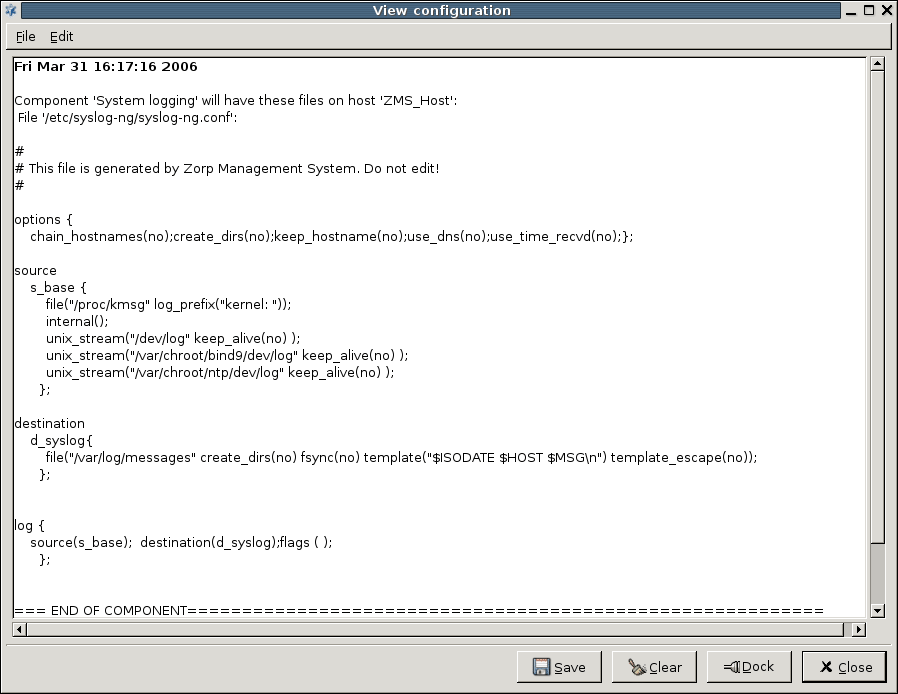
/dev/logand/proc/kmsg, and stores them in the/var/log/messagesfile.: Type the IP address of your logserver into the field. Collects logs from
/dev/logand/proc/kmsg, and stores them in the/var/log/messagesfile. The log messages are also sent to the logserver over TCP using the legacy BSD-syslog protocol (RFC3164).: Collects logs from
/dev/logand/proc/kmsg, and stores them in several different files, like the default syslog configuration on Debian systems.: Empty configuration.
View this initial configuration file by selecting the system logging component of a given host and click the button.

Published on June 04, 2020
© 2007-2019 BalaSys
Send your comments to support@balasys.hu
