

Most of the actual PKI-related tasks can be performed using the menu item. Selecting this item displays the PKI management window of the selected site.
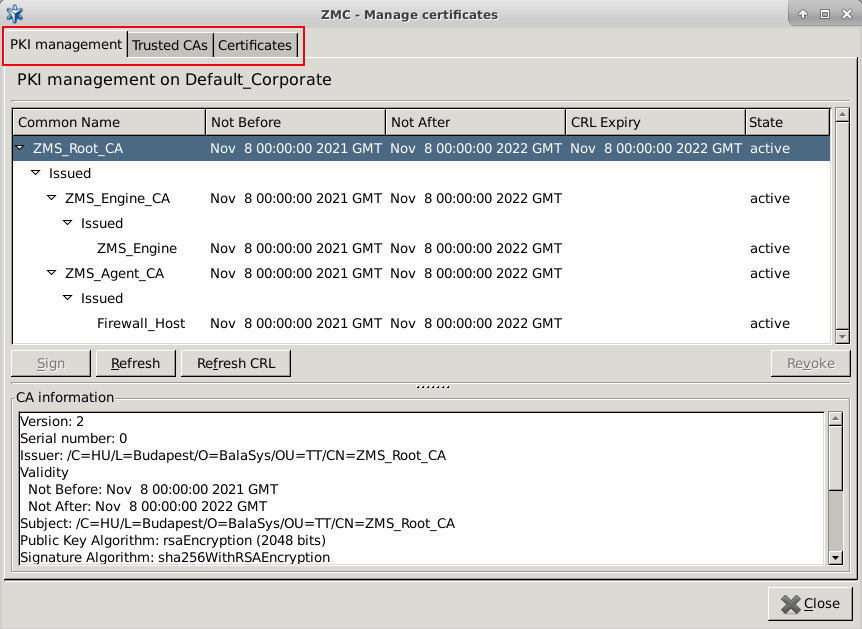
This window has the following tabs:
tab is used for managing local CAs. This includes managing certificates and certificate signing requests, refreshing keys, and so on.
tab is for managing trusted certificate authorities, creating new ones, grouping them, and so on.
tab is for managing certificates: creating new certificate signing requests (CSRs), as well as for importing/exporting certificate entities.
On all three tabs, information about the currently selected certificate (or CA certificate) is displayed in the lower section of the panel. This information includes the following data:
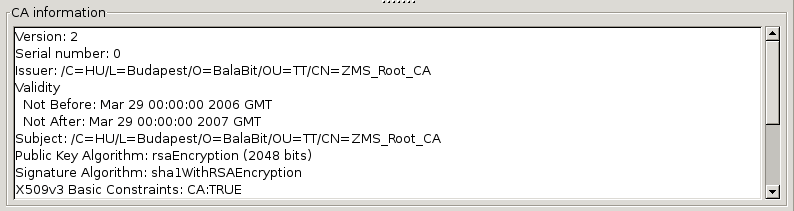
The following data is displayed:
the distinguished name of the CA issuing the certificate
the subject of the certificate
the validity period of the certificate
the information on the algorithm used to generate the keys, including the length of the key
any X.509 extensions used in the certificate
Note The X.509 standard for certificates supports the use of various extensions, for example, to specify for what purposes the certificate can be used, and so on. For details on the possible extensions, see Appendix C, Further readings.
Published on May 30, 2024
© BalaSys IT Ltd.
Send your comments to support@balasys.hu
